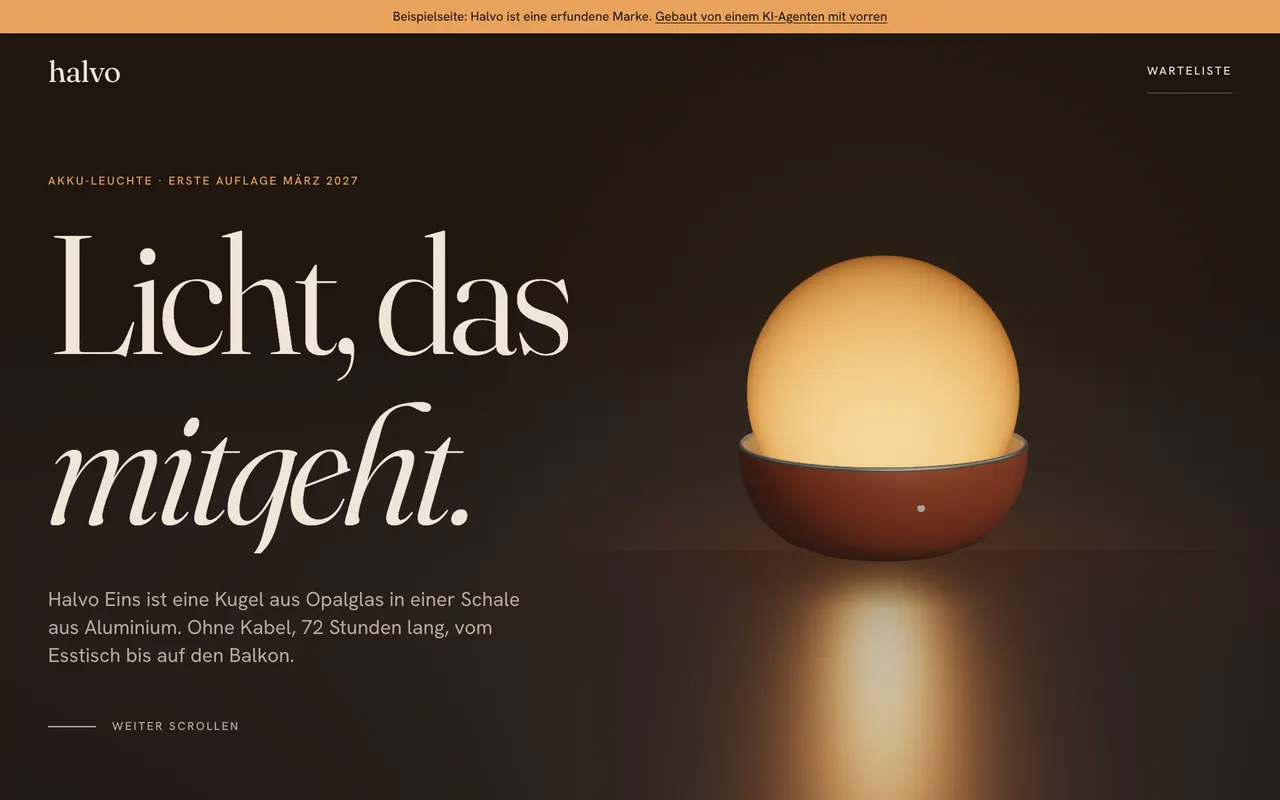
Launch page for a product
Halvo Eins
A lamp in 3D that switches on as you scroll, comes apart into its pieces and changes its light colour. Plus big numbers, evening photos and a waitlist.
Landing page
One page for your product, your offer or your campaign. Your AI builds it from a few sentences, Vorren puts it online, with a form for requests or a waitlist. You can change everything later with one sentence.
Works with Claude on any plan, with ChatGPT from Business and with other AI agents.
Examples
Claude built it through Vorren, with a 3D lamp and a waitlist. The brand is made up, the page really runs.
Launch page for a product
A lamp in 3D that switches on as you scroll, comes apart into its pieces and changes its light colour. Plus big numbers, evening photos and a waitlist.
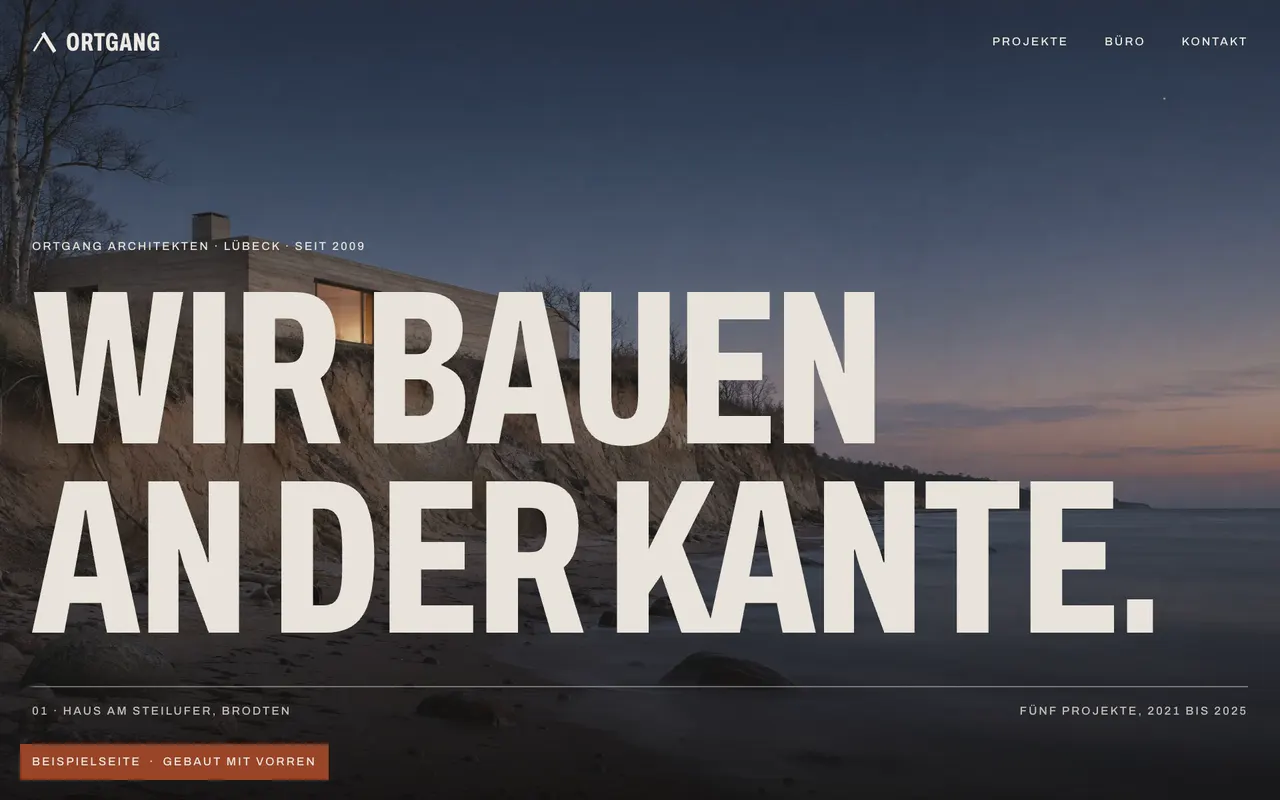
Homepage of an architecture firm
Full-bleed images, five projects as a story: each one opens from a narrow cut as you scroll, and the image you click flows into the project page.
How it works
You connect your AI to Vorren once, which takes about two minutes. After that, one sentence is enough.
Tell your AI in plain sentences what you need and how it should feel.
Your AI builds following Vorren’s guidelines and uploads everything itself.
You get a preview address. You ask for changes in one sentence.
When it all fits, you say “Put it live”. Your site runs on your domain with HTTPS.
To copy
Copy it, adapt it to your plan and give it to your AI. It asks for whatever it still needs.
“Build me a landing page for my new offer: at the top a clear sentence on what it is and who it’s for, then three reasons, a few images, prices and a form people can use to get in touch. On a phone you should reach the form right away with your thumb. Show me a preview first.”
Included
Every request reaches you by email, with protection against spam. No second tool, no account with yet another provider.
New price, new image, a different sentence at the top: you tell your AI, and a new preview is ready in seconds.
Every photo is ready in five sizes so the page loads fast on a phone too. You don’t have to do anything.
Try a second version. If you don’t like it, you bring back the previous one with one sentence.
Cost
Building and sharing as a preview costs nothing. Live on your domain, the landing page costs €9 a month, plus the pack of 5 slots for €39 a month, which also fits your next pages. Together €48 a month, excl. VAT. After the campaign you take it offline and stop paying from the next month.
All prices and the calculator are on Pricing. What the dashboard shows you before every booking is binding.
FAQ
You connect your AI to Vorren once and describe the page in a few sentences: what you offer, for whom, what the visitor should do. Your AI builds it and shows you a preview. When everything fits, you say “Put it live”.
Yes, as a preview. Your first project is free and without payment details, and you can share and test the preview address. Only live on your domain does it cost.
Through a form your AI builds in. Vorren emails every submission to you, checks attached files for malware and keeps spam away. You don’t need software of your own for that.
Yes. Each page is a project of its own with its own preview and its own domain or subdomain. The pack includes 5 projects; you add more slots in packs.
Your agent writes title, description and preview image following Vorren’s guidelines, and Vorren delivers the sitemap. Before going live, Vorren checks the page and tells your agent what’s still missing.
More solutions
Create an account, connect your AI, describe your offer. The preview is free.
Want to read up first? Our guides show how it works.
This shows us which pages get read and where visitors come from, so we can make Vorren better.
For this we use Google Analytics with your consent. Google sets cookies and receives data about your visit, including in the USA. Without consent we load nothing from Google. You can change your choice at any time under “Cookie settings” at the bottom of the page. More in our privacy policy (German).